
Precomputing Coverage with igvtools
Last updated on 2026-09-03 | Edit this page
Overview
Questions
- Why does my coverage track go blank when I zoom out?
- How do I precompute coverage data so it is visible at any zoom level?
Objectives
- Explain why coverage disappears when zooming out on a large BAM file.
- Use
igvtoolsto precompute a coverage summary (TDF) file. - Associate a precomputed coverage file with an alignment track.
This episode assumes you already have loaded, from the previous episodes:
- the reference genome
chr1.fasta, and - the alignment file
igvData/snps/NA12878.SLX.sample.bam.
The problem: no coverage at low zoom levels
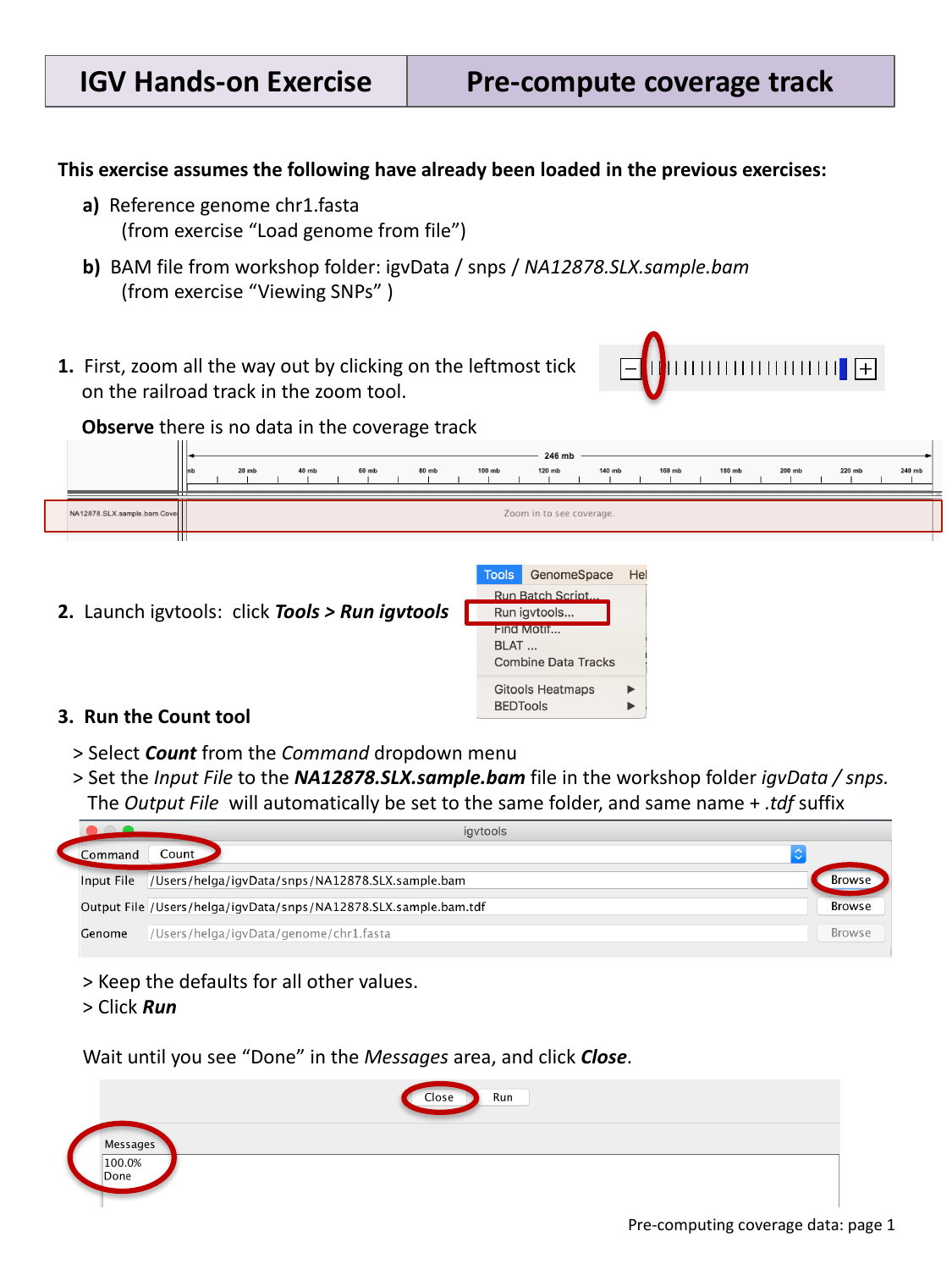
Zoom all the way out by clicking the leftmost tick on the “railroad
track” zoom widget. Notice that the coverage track for
NA12878.SLX.sample.bam now shows no data at all, just a
message like “Zoom in to see coverage.”
By default, IGV computes coverage on the fly from the reads currently
visible in a BAM file. At low zoom levels this would mean scanning huge
numbers of reads just to draw a rough summary, so IGV instead only
computes coverage once you are zoomed in far enough that this is fast.
To see accurate coverage at any zoom level, you need to
precompute it once, ahead of time, using the igvtools
Count function.
Precompute coverage with igvtools
Select Tools > Run igvtools…, then in the dialog:
- Select Count from the Command drop-down menu.
- Set the Input File to
NA12878.SLX.sample.baminigvData/snps/. The Output File will automatically be set to the same folder and file name, with a.tdfsuffix added. - Keep the defaults for all other values, and click Run.
Wait until the Messages area shows “Done”, then click Close.
Associate the TDF file with the coverage track
Right-click (Mac: control-click) anywhere on the coverage
track for NA12878.SLX.sample.bam in the IGV
window, and select Load pre-computed coverage data….
Browse to igvData/snps/ and select the new
NA12878.SLX.sample.bam.tdf file.
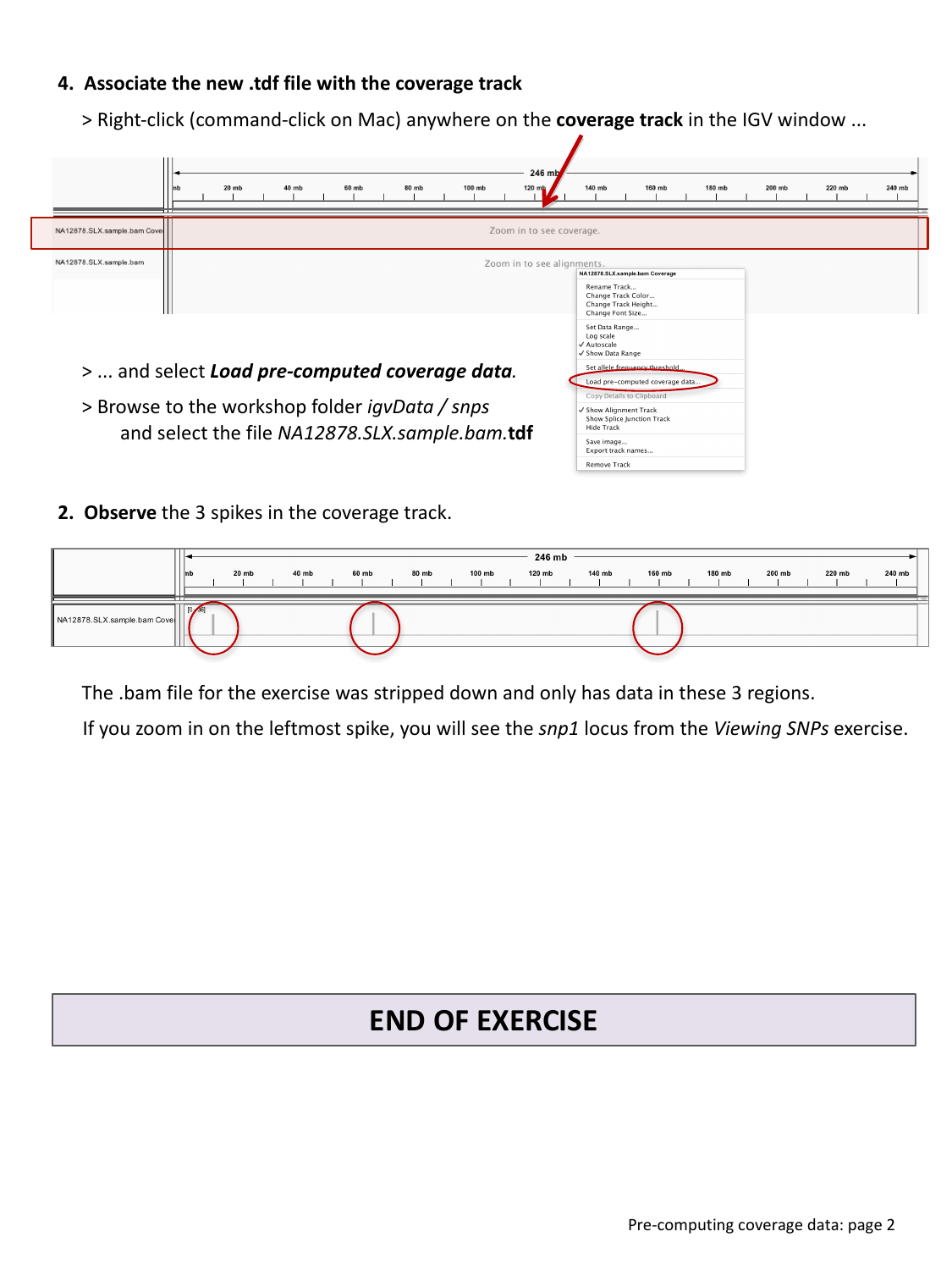
You should now see three spikes of coverage across the whole
chromosome. This sample BAM file was deliberately stripped down for the
workshop and only contains reads in these three regions — the leftmost
spike corresponds to the snp1 locus from the previous
episode.
Zoom back in
Zoom in on the leftmost coverage spike until you reach base-pair resolution. What locus do you land on?
Zooming into the leftmost spike brings you back to the
snp1 locus explored in Viewing Alignments and
SNPs — the precomputed coverage track and the on-the-fly coverage
you saw there are showing the same underlying reads, just computed
differently depending on zoom level.
- IGV computes BAM coverage on the fly at high zoom levels, but does not attempt this at low zoom levels for performance reasons.
- Use Tools > Run igvtools… > Count to
precompute a
.tdfcoverage summary file for a BAM file. - Attach a precomputed
.tdffile to a coverage track via right-click > Load pre-computed coverage data….